CAC Card PIN Locked How to Reset It Fast

Why Your CAC PIN Gets Locked

CAC PIN lockouts have gotten complicated with all the misinformation flying around. So let me be direct about what’s actually happening to your card.

Three failed attempts. That’s the rule — at least on every system I’ve encountered. The card trips a soft lock. Physical access still works. Digital authentication still works. But the PIN function goes dark until you reset it. That’s the soft lock, and it’s recoverable.

The hard lock is a different animal entirely. On older legacy systems — we’re talking some configurations dating back to the mid-2000s — a fourth attempt can trigger a permanent chip block. That requires in-person intervention at an ID office, no shortcuts. So if you’ve already tried three times, stop. Put the card down. Do not guess again.

Knowing which lock you’re facing changes everything about your next move.

Check If You Can Reset at a RAPIDS Kiosk

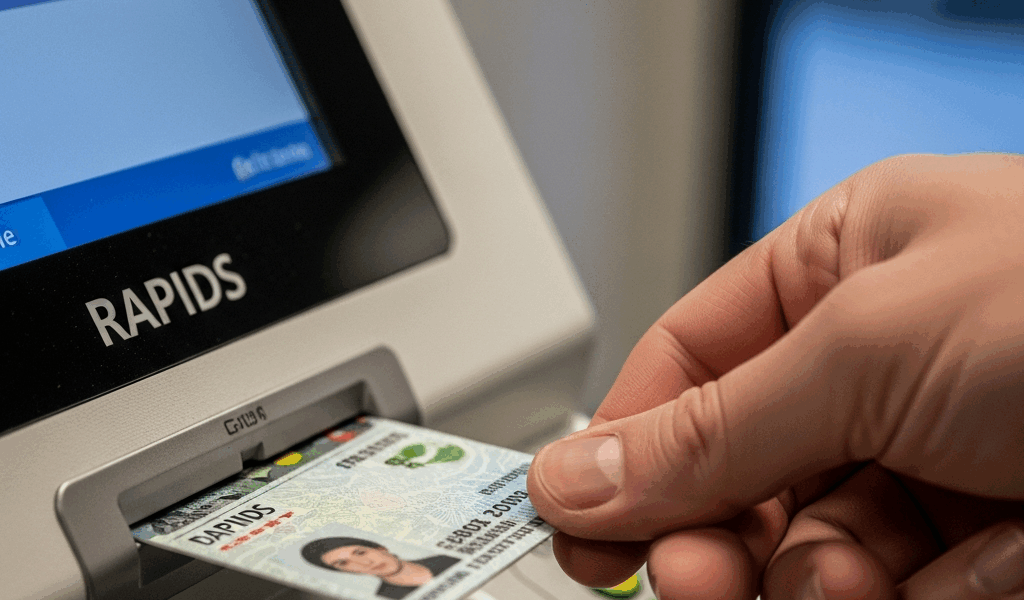
But what is RAPIDS? In essence, it’s the Real-time Automated Personnel Identification System — a network of self-service kiosks scattered across military installations, select VA facilities, and Reserve centers. But it’s much more than an acronym. These machines exist specifically to handle PIN resets without an appointment, which is exactly what you need right now.

The Defense Manpower Data Center maintains a kiosk locator at rapids.dmdc.osd.mil. Plug in your zip code and you’ll get addresses and operating hours. Most run 0800 to 1600, Monday through Friday. That’s it. Plan accordingly.

Eligibility matters here. Active duty personnel, Reserve members, retirees, and military dependents with valid CAC cards — all generally fine. Contractors are the gray area. Depending on your sponsoring agency’s policy, you might not qualify for kiosk use at all. Department of the Navy employees and defense contractor staff should call their security officer before making the drive. I’ve seen people show up 45 minutes from base only to get turned away at the machine. Don’t make that mistake.

One hard requirement the kiosk won’t budge on: it needs to read your card’s biometric chip. Corrupted chip, physically damaged card — the machine rejects it. You’re headed to the ID office regardless at that point.

How to Reset Your CAC PIN at a RAPIDS Kiosk

Probably should have opened with this section, honestly. The whole process takes fewer than five minutes when the kiosk cooperates.

  1. Insert your CAC card into the slot labeled “Card Reader.” Keep it inserted — the machine will remind you, but fish it out early and you’ll restart the whole sequence.
  2. Select “PIN Reset” from the main menu. You may need to scroll past certificate renewal and address change options first.
  3. Verify your identity through the biometric scanner — fingerprint or facial recognition depending on the kiosk model. This is the security gate. Outdated or corrupted biometric data in the system throws an error, and that means a trip to the ID office. Nothing to be done about it at the kiosk.
  4. Enter your new PIN twice when prompted. Most configurations require exactly 8 digits. Avoid 12345678, your birth year, anything repeating like 11111111. Write the new PIN down immediately — on paper, right there. Do not rely on memory. That’s how we end up back at a locked card in three weeks.
  5. Confirm the reset. The screen will show success or failure. Successful resets print a receipt. Keep it.
  6. Remove your card once the machine ejects it. If there’s a Windows login computer nearby, test the new PIN immediately. Don’t wait until 0600 the next morning to find out something went wrong.

Three to five minutes, start to finish. That’s what makes the RAPIDS kiosk endearing to us — the people who’ve sat in ID office waiting rooms for two hours on a walk-in Monday. Mid-morning on a Tuesday tends to see shorter lines than late Friday afternoon, for what that’s worth.

What to Do If You Need to Visit the ID Office Instead

Nonfunctional kiosk, hard-locked card, contractor status — any of these means an in-person visit. Bring the right documents or you’ll waste the trip entirely.

Required items:

  • Your CAC card — locked or not, bring it
  • Two forms of government-issued photo ID: driver’s license plus military dependent ID, or a passport, or state ID alongside military credentials
  • Your military or dependent ID number — memorized or written down somewhere accessible
  • Contractors and reservists: bring a letter of sponsorship or appointment order from your parent organization

Call ahead. Most military ID offices schedule appointments through the RAPIDS system or by phone. Walk-ins exist — I’ve done them — but expect 60 to 90 minutes of waiting, sometimes longer at installations like Fort Meade or Joint Base San Antonio-Lackland. I’m apparently someone who learns things the hard way, and showing up on a Monday morning during a drill weekend taught me that lesson permanently. The office was packed wall to wall. Don’t make my mistake.

The in-person reset works identically to the kiosk process once you reach the ID technician: biometric verification, new PIN entry, receipt. The technician will also look at the card itself — wear, damage, chip integrity. If replacement is warranted, you’ll walk out with a new card and the reset already applied.

One more thing: bring a utility bill or piece of mail showing your current address. Some offices — particularly for retirees and dependents — verify address data before processing anything. A recent electric bill works fine. Something dated within the last 90 days.

Prevent Your PIN From Getting Locked Again

So, without further ado, let’s talk about keeping this from happening twice.

Use a password manager — 1Password at $2.99/month, Bitwarden which runs free for personal use, or Dashlane. Store the PIN encrypted. If a password manager feels uncomfortable, open a plain Notepad file, type the PIN in, encrypt the whole thing through BitLocker, and lock it in a drawer. The PIN itself is not classified information. Storing it securely is entirely acceptable — encouraged, actually.

Proactively change your PIN before you forget it. Most Windows machines running ActivClient let you do this through smartcard settings. Open certmgr.msc, right-click your DoD certificate, select “Change PIN.” This kind of reset does not trigger the three-attempt counter. It’s maintenance, not an emergency.

A myth worth killing: resetting your PIN touches nothing else. Not your digital certificates. Not your email encryption keys. Not your building access or system permissions. Your security clearance level stays exactly where it is. The PIN is purely an authentication factor — resetting it leaves no flag in your file. I’m apparently someone who worried about this the first time and wasted a week avoiding the reset. That was unnecessary.

Keep the PIN written somewhere secure at home, separate from your wallet. Muscle memory fails — especially after leave, holidays, or any stretch where you haven’t touched the card in two weeks. Written backup prevents the next lockout. Simple as that.

Mike Thompson

Mike Thompson

Author & Expert

Mike Thompson is a former DoD IT specialist with 15 years of experience supporting military networks and CAC authentication systems. He holds CompTIA Security+ and CISSP certifications and now helps service members and government employees solve their CAC reader and certificate problems.

81 Articles
View All Posts

Leave a Reply

Your email address will not be published. Required fields are marked *

Stay in the loop

Get the latest updates delivered to your inbox.