
Today, I will share it all with you.
Unlike military personnel who get CACs during in-processing, contractors take a winding path through sponsorship, background investigations, and multiple offices. Here’s how to navigate it without losing your mind.
Do You Actually Qualify?
Not every contractor gets a CAC. You’ll typically need:
- An active contract with a DoD organization
- Physical access needs to DoD installations lasting more than 6 months
- Logical access requirements for DoD networks or systems
- A favorable background investigation (or one in progress)
Short-term contractors, occasional visitors, or people who don’t need system access usually get visitor badges instead. That’s fine — CACs come with their own headaches.
Finding a Sponsor (You Can’t Do This Yourself)
Here’s the catch: contractors cannot request their own CAC. A government sponsor — usually your Contracting Officer Representative (COR) or government point of contact — must initiate everything.
Your sponsor’s responsibilities:
- Verify your contract actually authorizes CAC issuance
- Enter your information into TASS (Trusted Associate Sponsorship System) or equivalent
- Specify what access levels you need
- Approve your CAC enrollment
The sponsor needs their own active CAC and authorization to sponsor contractors. If your point of contact can’t sponsor you, ask who can. This bottleneck delays more contractors than any other step.
The Background Investigation Reality
CAC issuance requires at minimum a NACI (National Agency Check with Inquiries) or equivalent. Higher-access CACs need Secret or Top Secret clearances.
If you’ve held a clearance before, it might still be active. The Defense Counterintelligence and Security Agency (DCSA) maintains records — your sponsor can check your status.
For new investigations:
- You’ll complete an SF-86 or SF-85P (extensive personal history questionnaires)
- Timeline varies wildly — weeks to months depending on complexity
- Interim access might be granted while investigation proceeds, depending on contract requirements
DEERS Enrollment: The Waiting Game
After sponsorship, your information enters DEERS (Defense Enrollment Eligibility Reporting System). This database validates CAC eligibility across all DoD systems.
DEERS enrollment typically takes 24-48 hours after your sponsor submits. Do not visit the ID card office until your sponsor confirms enrollment is complete. You’ll be turned away and waste half a day.
The RAPIDS Visit
Once enrolled in DEERS, visit a RAPIDS (Real-Time Automated Personnel Identification System) ID card office. These exist on most military installations and some government buildings.
Bring:
- Two forms of ID from the acceptable list (typically driver’s license plus passport, birth certificate, or social security card)
- I-9 employment eligibility documentation
- Your sponsor’s contact information (verification sometimes needed)
Most RAPIDS offices require appointments. Search for your nearest office and check scheduling requirements — walk-in availability varies wildly by location.
What Happens at RAPIDS
Common delays include DEERS enrollment not complete, sponsor information missing, unacceptable ID documents, or name mismatches. Verify everything before you drive to the office.
Contractor CAC Differences
Contractor CACs look similar to military and civilian employee cards but have distinguishing features:
- Color coding on the card edge indicates contractor status
- Expiration dates align with your contract period
- Access affiliations are listed on the card
Your CAC may have different access permissions than employee CACs. Your sponsor defines what systems and facilities you can access.
Initial Setup After Getting Your CAC
With your new CAC in hand:
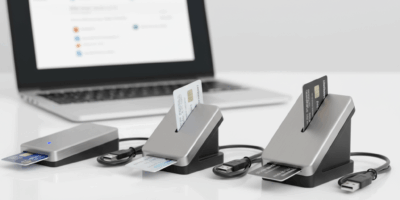
1. Get a CAC reader — Your organization may provide one, or you may need to purchase your own. SCR3310 and ACR39U models are reliable choices.
2. Install DoD certificates — Download and run InstallRoot from cyber.mil. This enables your computer to trust DoD certificate authorities.
3. Test basic access — Try accessing a CAC-enabled site to verify your card works. MilConnect is a common test.
4. Configure email access — If your contract includes DoD email, work with your government IT support to configure Outlook.
Expiration and Renewal
Contractor CACs expire based on your contract period, typically not exceeding 3 years. Before expiration:
- Your sponsor must re-verify continued eligibility
- Contract documentation must show active performance period
- Visit RAPIDS for a new card
Don’t let your CAC expire. Renewal after expiration is more complicated than renewing beforehand. Set calendar reminders at 90, 60, and 30 days before expiration.
When Contracts End
Your CAC access terminates when your contract ends. Return your CAC to your sponsor or shred it according to your organization’s procedures. Your DEERS enrollment gets terminated, deactivating the card.
If you move to a new contract with the same or different agency, the CAC process starts over with new sponsorship. Your clearance may carry over, but you’ll need new enrollment and a new card.
Getting your first contractor CAC takes coordination with your sponsor and patience with bureaucracy. Once issued, it provides the same technical capabilities as any other CAC — your challenge shifts to keeping it maintained and renewed throughout your contract.



Leave a Reply