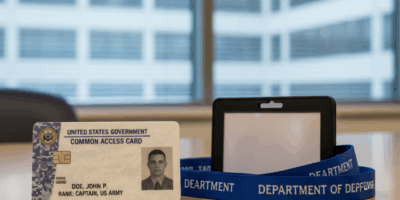
Look, your Common Access Card is basically your lifeline if you’re active duty, a contractor, or a government civilian. It’s your ID, your building access, your ticket to every DoD system you need. And when something goes sideways with it? That’s when people start panicking. I’ve been on the receiving end of those calls more times than I can count.
Ways to Check Your CAC Card Status
There are actually several ways to figure out what’s going on with your card. Some are quick, others take a bit more effort. Here’s what I recommend based on years of fielding these questions.
Online Status Checker
This is the easiest route if you’ve got internet access. The DoD runs the DoD Self-Service Access Center, and honestly, it works pretty well most of the time. You just log in with your existing credentials, navigate around a bit, and it’ll tell you where things stand. I usually point people here first because you can do it from your desk without bothering anyone.
Just Look at the Card Itself
I know this sounds almost too obvious, but flip that card over and check the expiration date printed right on it. You’d be surprised how many people come to me with “access issues” and it turns out their card expired two weeks ago. An expired card won’t authenticate on anything. If you’re within 30 days of expiration, start making renewal plans now, not later.
Call Your Issuing Office
Sometimes the online tools aren’t cooperating, or maybe you’re in a location with spotty internet. That’s when you pick up the phone and call the nearest RAPIDS (Real-time Automated Personnel Identification System) facility. The folks there can pull up your card’s status in their system pretty quickly. I’ve done this route myself when I was TDY and couldn’t get the online portal to load.
Use Your Middleware Application
If you’ve already got a card reader at your workstation and middleware installed, you can check your card status right there. Just pop your CAC into the reader, open up your middleware app (ActivClient, whatever your agency uses), and it’ll show you the certificate status, expiration info, all of it. It takes maybe 30 seconds.
Hit Up the Help Desk
Every branch and every agency has an IT help desk. Don’t be shy about calling them. Have your card handy, know your EDIPI number if possible, and they can look things up on their end. I’ve worked help desk shifts before, and trust me, we’d rather you call and ask than sit there unable to work for half a day.
Troubleshooting the Common Headaches
Alright, so you’re trying to check your status and something’s not working right. Here are the problems I see most often and how to fix them.
Card Reader Won’t Cooperate
A flaky card reader is probably the number one thing I deal with. If your system isn’t detecting the card, try plugging the reader into a different USB port first. Sounds basic, but it works more often than you’d think. If that doesn’t do it, try the reader on a different computer to rule out a hardware failure. And check your drivers while you’re at it. Outdated card reader drivers cause more grief than people realize.
Certificate Issues
The certificates stored on your CAC can get corrupted or expire independently of the card itself. If you’re getting weird certificate errors, check whether your certs are still valid through your middleware. Sometimes you need to visit the issuing office to get them refreshed. Also, make sure you’ve got the latest DoD root certificates installed on your machine. That trips up a lot of folks, especially after a system reimage.
PIN Lockouts
Three wrong PIN attempts and you’re locked out. It happens to everyone at some point, especially after leave when you haven’t typed that PIN in a couple weeks. When it locks, don’t keep trying. You’ll need to visit a RAPIDS office with a valid photo ID so they can verify who you are and unlock it. There’s no shortcut around this one.
Renewing and Replacing Your Card
Keeping your CAC current isn’t optional. Here’s how to handle renewals and replacements without the runaround.
Renewal
Head to your nearest RAPIDS facility before your card expires. I cannot stress this enough. Bring a government-issued photo ID and whatever employment or status documents apply to your situation. The process itself is straightforward once you’re there. You’ll get new biometrics taken, new certs loaded, and walk out with a fresh card. The whole thing usually takes under an hour if there’s no line.
Replacement for Lost or Damaged Cards
Lost your card? First thing you do is report it to your security office. Not tomorrow, not after lunch. Right now. Then get yourself to a RAPIDS facility with your identification documents. You’ll probably need to fill out a statement about what happened. I had a buddy who dropped his in a storm drain. Yes, they’ve heard it all.
Taking Care of Your CAC
A little preventive care goes a long way. Here are some tips from someone who’s seen every type of CAC damage imaginable.
Physical Protection
Don’t leave your card baking on the dashboard in summer. Don’t sit on it in your back pocket. Don’t let it get bent up in the bottom of your bag. Get a decent card holder or sleeve and actually use it. The chip on these things is more delicate than people think.
Keep Your Software Current
Check for middleware and driver updates periodically. I usually tell people to do it monthly or whenever they notice something acting weird. Outdated software is behind a huge percentage of the “my card doesn’t work” tickets I’ve seen over the years.
Watch for Warning Signs
If your card starts taking longer to authenticate, or you get intermittent read errors, don’t ignore it. Those are signs something’s going wrong, and catching it early beats being locked out at the worst possible moment. It’s simple stuff that saves enormous headaches.
Frequently Asked Questions
Can I check my CAC status from home? Yep, through the DoD Self-Service Access Center online. You’ll need internet access and your login credentials, but it works fine from a personal computer.
My CAC card isn’t working. Now what? Start with the card reader and drivers. Check that everything’s plugged in and up to date. If that doesn’t fix it, contact the RAPIDS office because the issue might be on the card itself.
When should I start the renewal process? At least 30 days before expiration. Seriously, don’t wait until the last week. RAPIDS offices get busy, and you don’t want to be that person scrambling for an appointment.
About Jack Ashford
Jack Ashford is a DoD cybersecurity specialist with over 12 years supporting military IT infrastructure. He holds Security+ and CAC certifications and has worked as systems administrator for multiple DoD agencies. Jack specializes in PKI certificate management, CAC troubleshooting, and secure authentication systems, helping military personnel and contractors resolve access issues quickly.
Mike Thompson
Author & Expert
Mike Thompson is a former DoD IT specialist with 15 years of experience supporting military networks and CAC authentication systems. He holds CompTIA Security+ and CISSP certifications and now helps service members and government employees solve their CAC reader and certificate problems.






Stay in the loop
Get the latest updates delivered to your inbox.